

If you run a blog or a YouTube channel, your files pile up fast: original photos, screen recordings, video projects, and the backup ZIPs of your WordPress site. A NAS (network-attached storage) is a small box on your home network that keeps all of that in one place, on drives you own, with no monthly storage bill.
This guide compares the UGREEN NASync models you can buy on Amazon right now, from the beginner DH2300 to the 8-bay DXP8800 Plus, and tells you which one fits which kind of creator.
Disclosure and how we made this guide: as an Amazon Associate we earn from qualifying purchases, at no extra cost to you. We have not tested these NAS units ourselves. This guide is built from UGREEN’s official specs and from hands-on reviews published by independent sites (linked in each section and in the sources at the end). Specs and availability were checked on 20 November 2026. Product photos are UGREEN’s official images, and the embedded videos come from independent YouTube reviewers. If we buy one and test it, we will update this page with our own results.
Quick picks
- Best for most bloggers and creators: UGREEN DXP4800 Plus (4 bays, 10GbE, Docker)
- Best cheap first NAS: UGREEN DH2300 (2 bays, simple backups, no Docker)
- Best compact 2-bay for power users: UGREEN DXP2800 GT (Ryzen, 10GbE)
- Best for video editing: UGREEN DXP480T Plus (all-flash, Thunderbolt 4)
- Best for teams and studios: UGREEN DXP8800 Plus (8 bays, dual 10GbE)
Do bloggers really need a NAS?
Not every blogger does. If your whole site fits in a few gigabytes and your host keeps daily backups, a cloud folder may be enough. A NAS starts to make sense when one of these is true:
- You shoot your own photos or videos and the originals no longer fit on your laptop.
- You run several WordPress sites and want a copy of every backup outside your hosting account.
- You pay every month for cloud storage you mostly use as an archive.
- You work with a small team that needs a shared folder for raw files.
One thing a home NAS is not good for: hosting your public WordPress site. Home internet upload speeds, power cuts and security make a real host the better place for a live blog. Use the NAS for storage and backups, and keep the site on hosting (we explain how we chose ours in how to choose WordPress hosting).
UGREEN NAS comparison table
| Model | Bays | CPU / RAM | Network | Docker | Best for |
|---|---|---|---|---|---|
| DH2300 | 2 × SATA | Rockchip RK3576 (ARM) / 4 GB | 1GbE | No | First NAS, photo and file backup |
| DXP2800 GT | 2 × SATA + 2 × M.2 | AMD Ryzen Embedded R2514 / 8 GB DDR4 (up to 64 GB) | 10GbE | Yes | Compact power-user box |
| DXP4800 Plus | 4 × SATA + 2 × M.2 | Intel Pentium Gold 8505 / 8 GB DDR5 (up to 64 GB) | 10GbE + 2.5GbE | Yes | Most creators and small teams |
| DXP480T Plus | 4 × M.2 NVMe only | Intel Core i5-1235U / 8 GB DDR5 (up to 64 GB) | 10GbE + Thunderbolt 4 | Yes | Video editing from the NAS |
| DXP8800 Plus | 8 × SATA + 2 × M.2 | Intel Core i5 (12th gen, 10 cores) | 2 × 10GbE | Yes | Studios, agencies, large archives |
1. UGREEN DXP4800 Plus: best for most creators
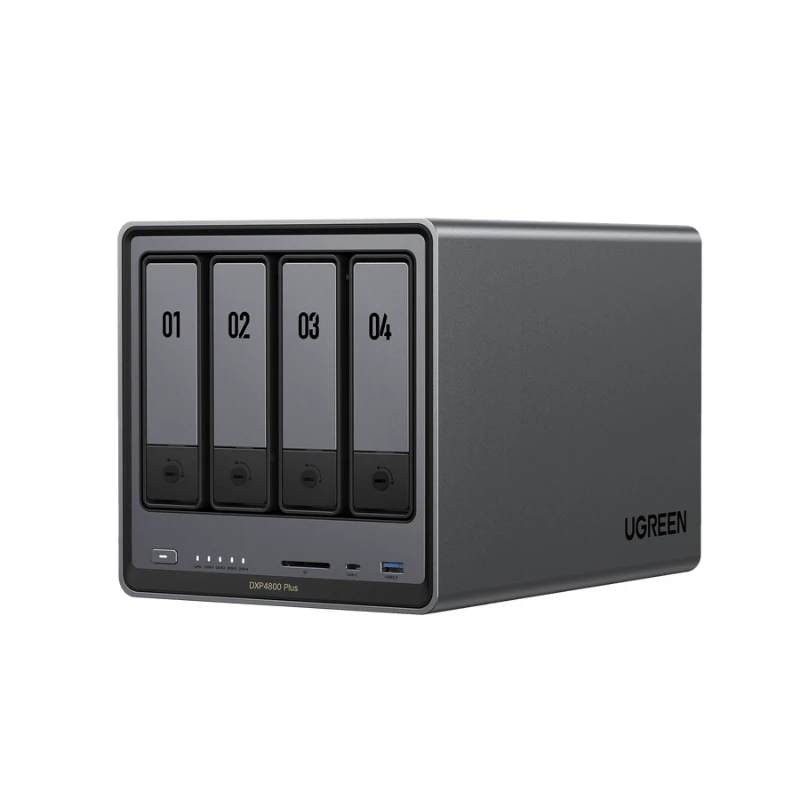
UGREEN NASync DXP4800 Plus: 4 SATA bays + 2 M.2 NVMe slots, Intel Pentium Gold 8505, 8 GB DDR5, one 10GbE and one 2.5GbE port, built-in 128 GB system SSD.
This is the model most reviewers point beginners and creators to. Four bays let you run RAID 5 (one drive can fail without data loss) and still have room to grow, and the two M.2 slots can be used as SSD cache or fast storage. The 10GbE port is useful later, when you upgrade your network; on a normal gigabit router it will simply run at gigabit speed.
What reviewers liked: PetaPixel found the setup quick and called it an easy way into NAS for photographers. TechPowerUp highlighted the 8 GB of RAM as standard, the two NVMe slots and the 10 Gbps port. ITPro called the hardware excellent.
What to know before buying: the same ITPro review says the software lags a bit behind the hardware, and TechPowerUp felt UGREEN still needed to optimise UGOS Pro in some tests. KitGuru gave it 7.5/10. UGREEN has shipped many updates since launch, but if you want the most polished NAS software, Synology is still the reference.
Watch a video review:
2. UGREEN DH2300: best cheap first NAS
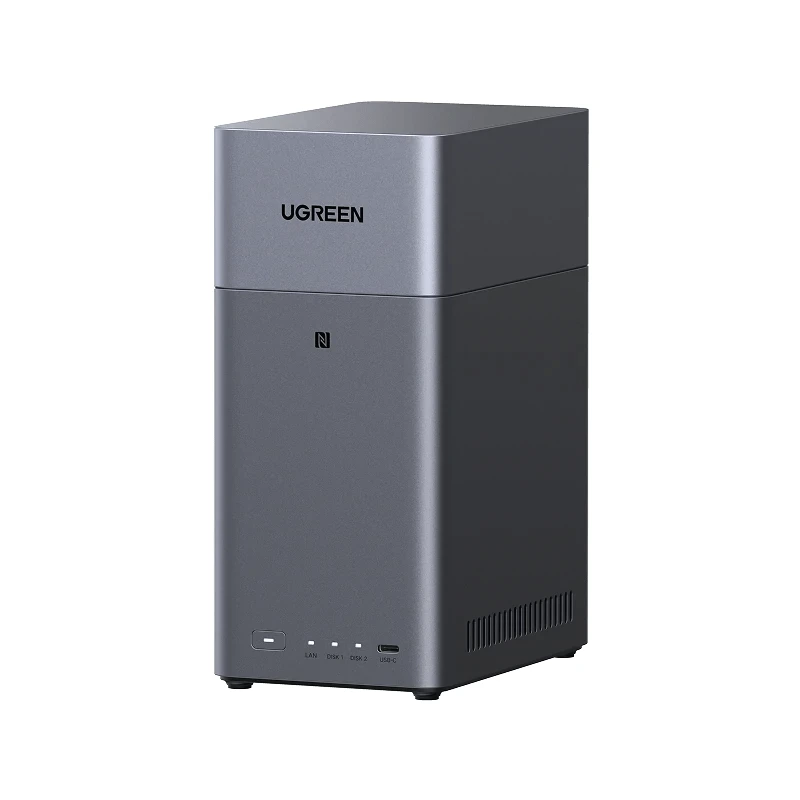
UGREEN NASync DH2300: 2 SATA bays (up to 64 TB), Rockchip RK3576 ARM processor, 4 GB RAM, one 1GbE port, HDMI out.
The DH2300 is UGREEN’s entry model. It is made for people moving off Google Photos, iCloud or a pile of external drives: phone backup, photo albums, shared folders and computer backups. Two drives in RAID 1 give you a mirrored copy of everything.
What reviewers liked: Digital Camera World called it a budget-friendly private-cloud alternative to paid subscriptions. Cult of Mac tested it as a family backup box and found it simple and approachable.
What to know before buying: UGREEN itself states the DH2300 has no official Docker support and no virtual machines, so it is the wrong pick if you want to run Plex, Jellyfin or other self-hosted apps. TweakTown notes the single 1GbE port and the mostly plastic build. For simple backups, none of that matters much.
Watch a video review:
3. UGREEN DXP2800 GT: best compact 2-bay for power users
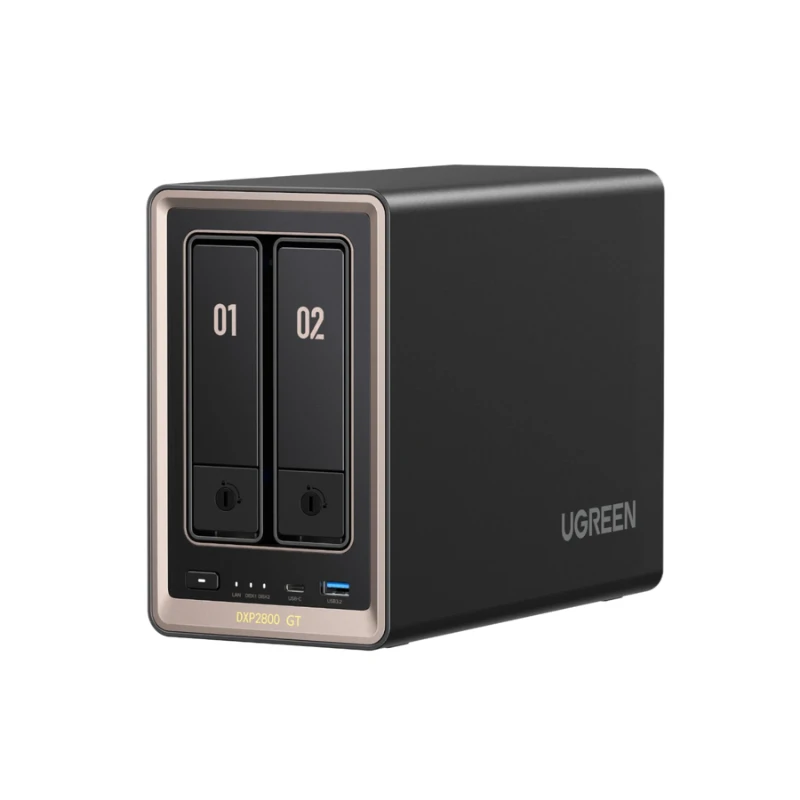
UGREEN NASync DXP2800 GT: 2 SATA bays + 2 M.2 slots, AMD Ryzen Embedded R2514 (4 cores / 8 threads), 8 GB DDR4 expandable to 64 GB (ECC supported), one 10GbE port, Docker and virtual machines.
The GT is a 2-bay box with a much stronger processor than the DH2300. It makes sense if you want a small NAS that can also run Docker containers (a media server, a test WordPress install for local development, a photo app) and you only need two large drives.
What reviewers liked: Notebookcheck praised its hardware, build quality and low noise. Neowin called it a great device, while pointing out it costs more than the standard DXP2800 because of the better CPU and 10GbE.
What to know before buying: Neowin notes the RAM is DDR4 rather than DDR5. Notebookcheck lists relatively high idle power consumption and the lack of full-volume encryption (individual folders can be encrypted) as its main cons. And as Recover explains, the 10GbE port only pays off if your switch, cables and computer can keep up; on a gigabit network it behaves like a fast gigabit NAS.
Watch a video review:
4. UGREEN DXP480T Plus: best for video editing
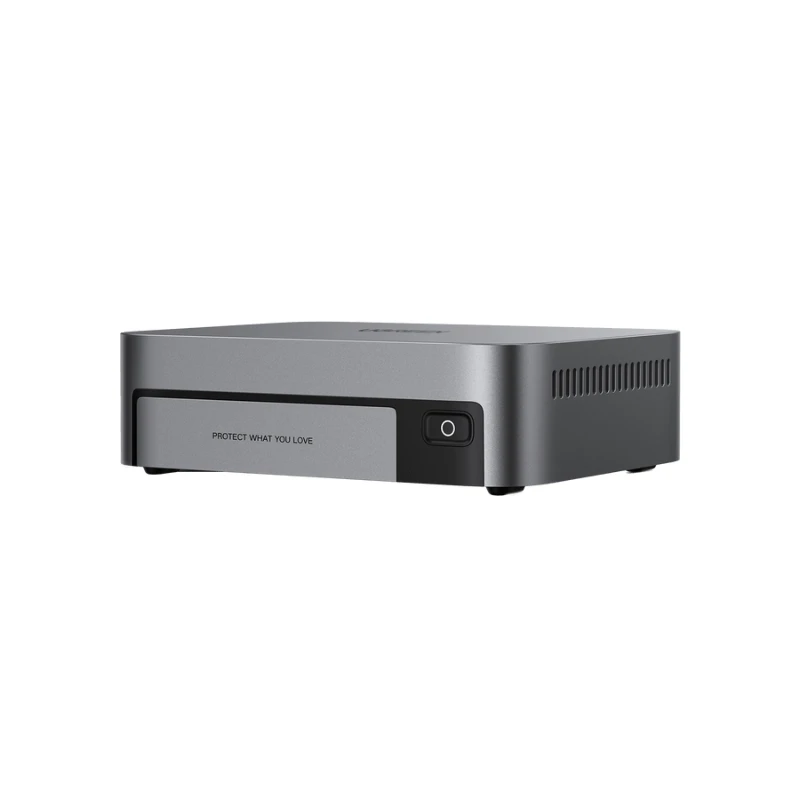
UGREEN NASync DXP480T Plus: 4 M.2 NVMe slots (up to 32 TB, no hard-drive bays), Intel Core i5-1235U, 8 GB DDR5 expandable to 64 GB, 10GbE, two Thunderbolt 4 ports.
This one is different: it only takes NVMe SSDs. That makes it silent, tiny and very fast, which is what you want if you edit video straight from network storage. It is not the cheap way to store a large archive, because SSDs cost much more per terabyte than hard drives.
What reviewers liked: Android Central praised the small form factor, build quality and hardware. StorageReview positions it as an all-flash NAS for creative and media professionals.
What to know before buying: TechRadar says it is held back by a relatively high cost and a single LAN port. Budget for four NVMe drives on top of the NAS.
Watch a video review:
5. UGREEN DXP8800 Plus: best for teams and studios
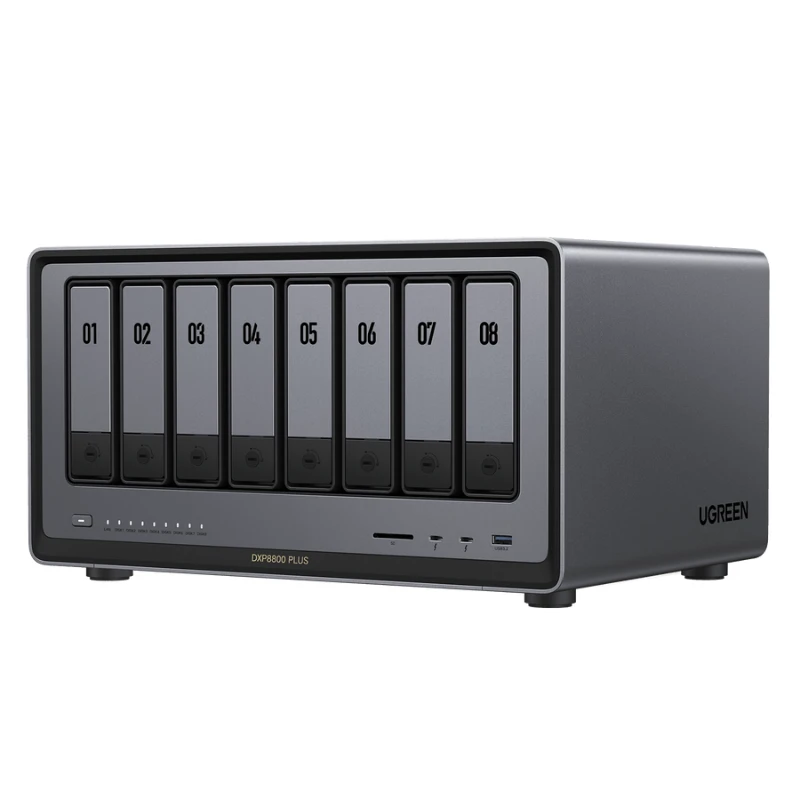
UGREEN NASync DXP8800 Plus: 8 SATA bays + 2 M.2 slots (up to 272 TB), 12th-gen Intel Core i5 (10 cores / 12 threads), two 10GbE ports, RAID 0/1/5/6/10.
Most solo bloggers will never fill eight bays. This model is for agencies, video teams and studios that need one central archive with RAID 6 (two drives can fail) and fast network access for several people at once. If that is not you, the DXP4800 Plus covers the same software for much less.
Watch a video review:
How to use a NAS with your WordPress site
The simplest rule for backups is 3-2-1: three copies of your data, on two different kinds of storage, with one copy off-site. For a WordPress blog, that can look like this:
- Copy 1: the live site on your host, with your host’s own backups.
- Copy 2: a backup plugin (we list one in our best WordPress plugins guide) sending backups to a cloud storage account.
- Copy 3: those backup files downloaded regularly to a shared folder on your NAS, next to your original images and videos.
On the DXP models, UGOS Pro supports SMB, NFS, FTP, rsync and WebDAV (TechPowerUp’s tour of UGOS Pro), and the Sync & Backup app can back up your computer to the NAS. Keep in mind that a two-way sync is not a backup: if you delete a file on your laptop, the sync deletes it on the NAS too. Use a real backup task for anything you cannot lose.
Which UGREEN NAS would we buy?
For a blogger who mainly wants a safe home for photos, site backups and documents, the DH2300 is enough and keeps the cost low. If you also make videos, want room for four drives, or think you will try Docker apps later, the DXP4800 Plus is the safer long-term choice. The GT, all-flash and 8-bay models are for specific needs: a small power-user box, editing from the NAS, or a team archive.
Whatever you choose, budget for NAS hard drives (WD Red Plus, Seagate IronWolf or similar). None of these units include drives.
FAQ
Do UGREEN NAS units come with hard drives?
No. All the models in this guide are sold diskless. You buy the drives separately, and the total cost depends on how much storage you need.
Can I host my WordPress blog on a UGREEN NAS?
Technically, the DXP models can run WordPress in Docker, which is handy for a local test site. For a public blog we don’t recommend it: home connections have slow upload speeds, no redundancy and more security risk than a proper host.
Does the DH2300 support Docker or Plex?
Not officially. UGREEN states the DH2300 has no official Docker support and does not run virtual machines, and advises against choosing it as a Plex server. Pick a DXP model for that.
Do I need 10GbE?
Only if your switch, cables and computer support it. On a normal home router the NAS will run at gigabit speed (about 110–125 MB/s), which is fine for backups and photo libraries. 10GbE matters when you edit large video files directly from the NAS.
Sources
- UGREEN product listings on Amazon.com and UGREEN’s UGOS Pro FAQ (checked 20 Nov 2026)
- DXP4800 Plus: PetaPixel, TechPowerUp, ITPro, KitGuru
- DH2300: Digital Camera World, Cult of Mac, TweakTown
- DXP2800 GT: Notebookcheck, Neowin, Recover
- DXP480T Plus: Android Central, StorageReview, TechRadar
- Video reviews: FIRE WOLF TECH, NASCompares, iOSHacker, StorageReview (YouTube)

Leave a Reply