
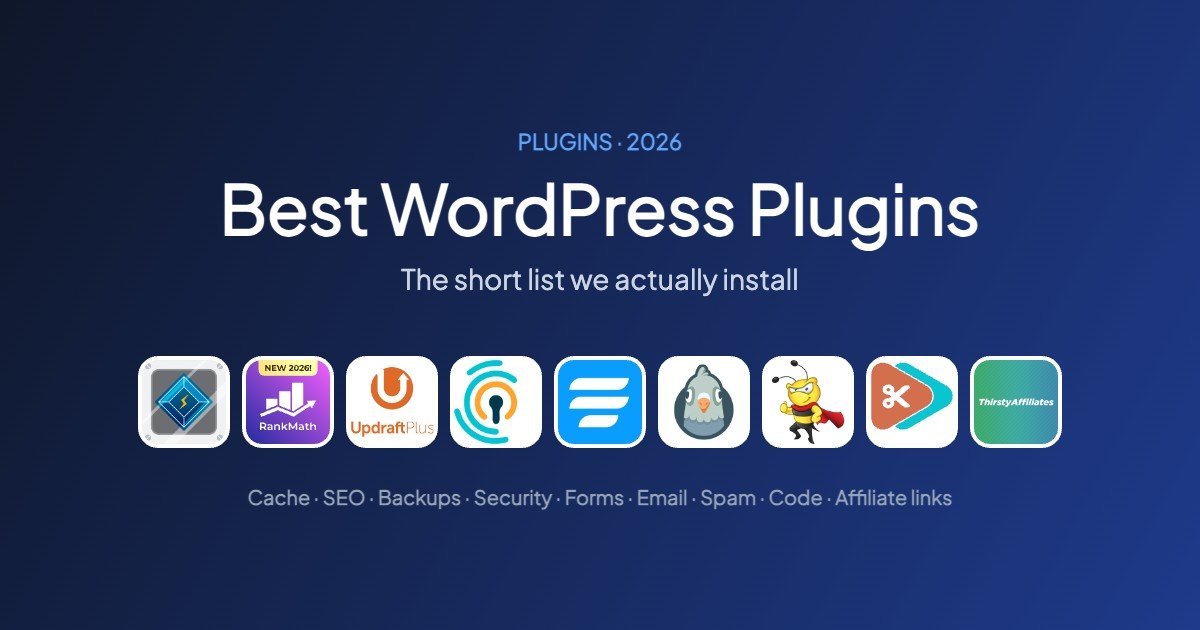
Quick answer: most WordPress sites need only five plugins: a cache plugin, an SEO plugin, a backup plugin, a form plugin and basic login protection. Add anything else only when you have a specific job for it. Every plugin is code you have to keep updated.
This is a short list on purpose. For each job we name one plugin and one alternative, and we say plainly which ones run on this site and which we picked from their track record without running them ourselves yet. Install numbers, ratings and update dates come from WordPress.org, checked on 16 November 2026.
The short list at a glance
| Plugin | Job | Active installs | Rating | On our sites |
|---|---|---|---|---|
| LiteSpeed Cache | Caching | 7+ million | 4.8 / 5 | Yes |
| Rank Math SEO | SEO | 4+ million | 4.8 / 5 | Yes |
| UpdraftPlus | Backups | 4+ million | 4.8 / 5 | Not yet |
| Limit Login Attempts Reloaded | Login protection | 1+ million | 4.8 / 5 | Not yet |
| Fluent Forms | Contact forms | 800,000+ | 4.8 / 5 | Not yet |
| WP Mail SMTP | Email delivery | 4+ million | 4.8 / 5 | Not yet |
| Antispam Bee | Comment spam | 700,000+ | 4.8 / 5 | Not yet |
| Code Snippets | Custom code | 1+ million | 4.7 / 5 | Not yet |
| ThirstyAffiliates | Affiliate links | 30,000+ | 4.6 / 5 | Yes |
The five every site needs
 LiteSpeed Cache
 LiteSpeed Cache
Job: page caching and front-end optimisation · On our sites: yes, on every site we host on Hostinger
If your host runs LiteSpeed servers, this free plugin gives you server-level page caching, which is the single biggest speed gain for most WordPress sites. It also handles minification, lazy loading and image optimisation. It is what keeps this site at 99 on mobile PageSpeed. Our LiteSpeed Cache settings guide lists the options we turn on.
Watch out: the page cache only works on LiteSpeed or OpenLiteSpeed servers. On other hosts use your host’s cache or another cache plugin, and never run two at once.
Alternative: WP-Optimize (1+ million installs) on hosts without LiteSpeed.
LiteSpeed Cache on WordPress.org
Rank Math SEO
 Rank Math SEO
Job: titles, meta descriptions, sitemaps, schema, redirects · On our sites: yes, on this site
Rank Math’s free version includes a redirect manager, a 404 monitor and several focus keywords per post, which saves you two or three extra plugins. We compared it in detail in Rank Math vs Yoast SEO.
Watch out: the setup wizard offers many modules. Turn on only the ones you use.
Alternative: Yoast SEO (10+ million installs), simpler and more guided.
Rank Math SEO on WordPress.org
UpdraftPlus
 UpdraftPlus
Job: scheduled backups to cloud storage · On our sites: not yet. We rely on our host’s backups today
Your host’s backups live on the same company’s servers. UpdraftPlus sends copies of your files and database to storage you control, such as Google Drive or Dropbox, on a schedule, and restores them from the dashboard.
Watch out: store backups off the server, and test a restore once so you know it works.
Alternative: your host’s automatic backups, if they run daily and you can restore them yourself.
Limit Login Attempts Reloaded
 Limit Login Attempts Reloaded
Job: blocking password-guessing on the login page · On our sites: not yet
Bots try thousands of passwords on wp-login.php. This plugin locks out an address after a few failed attempts, which stops most of them with almost no overhead.
Alternative: Wordfence (5+ million installs) for a full firewall and malware scanner, at the cost of more server work.
Limit Login Attempts Reloaded on WordPress.org
Fluent Forms
 Fluent Forms
Job: contact forms and simple surveys · On our sites: not yet. Our contact page is still being set up
A contact form lets readers reach you without exposing your email address to scrapers. Fluent Forms has a drag-and-drop builder, spam protection options and stores entries in your dashboard.
Watch out: pair any form plugin with WP Mail SMTP, or form notifications may land in spam.
Alternative: WPForms Lite (5+ million installs).
Add these when you need them
WP Mail SMTP
 WP Mail SMTP
Job: reliable delivery of WordPress emails · On our sites: not yet
By default WordPress sends email through the web server, and many inboxes treat it as spam. WP Mail SMTP sends it through a proper email provider instead, so password resets, form notifications and error alerts actually arrive.
Antispam Bee
 Antispam Bee
Job: blocking comment spam · On our sites: not yet
If your posts accept comments, spam arrives within days. Antispam Bee filters it without requiring an account.
Alternative: Akismet (5+ million installs), which needs an API key.
Code Snippets
 Code Snippets
Job: adding small pieces of PHP without editing theme files · On our sites: not yet
Tutorials often say “add this to functions.php”. A typo there can take the site down, and the change disappears when the theme updates. Code Snippets stores each snippet separately and lets you switch it off from the dashboard. A bad snippet in functions.php is a classic cause of the white screen of death.
Code Snippets on WordPress.org
ThirstyAffiliates
 ThirstyAffiliates
Job: managing affiliate links · On our sites: yes, on this site
If you earn from affiliate links, it turns long tracking URLs into short links on your own domain, lets you change a destination in one place, and counts clicks. Links can be marked nofollow and sponsored automatically.
Watch out: the free version covers link management and click tracking. Automatic keyword linking is a paid feature.
Alternative: Pretty Links.
ThirstyAffiliates on WordPress.org
Plugins we avoid
- A second cache plugin. Two caches fight each other and cause stale or blank pages
- Separate plugins for things your SEO plugin already does, such as sitemaps, redirects or breadcrumbs
- Sliders on the homepage. A slider was the cause of a 9.5-second LCP on one of our sites (case study)
- Plugins not updated for a year or more, and plugins that ask you to paste code from unknown sites
How to choose any plugin
- Check Last updated and Tested up to on WordPress.org. Recent updates matter more than install counts
- Read the one-star reviews from the last few months to see what breaks
- Prefer one plugin that does a job well over a suite that does ten jobs you do not need
- Install on a staging copy first if the site earns money, then measure speed before and after with our speed checklist
Starting a new site? Our WordPress blog setup guide shows where the cache and SEO plugins fit in the first fifteen minutes.
Frequently asked questions
How many plugins should a WordPress site have?
There is no fixed number, but most blogs run well with five to ten. What matters is the quality and weight of each plugin, not the count. Remove anything you no longer use.
What plugins does every WordPress site need?
A cache plugin, an SEO plugin, backups, a contact form and basic login protection. Everything else depends on what your site does.
Are free plugins safe?
Plugins from the WordPress.org directory are reviewed when submitted and can be removed if a security issue is not fixed. Keep them updated, and avoid plugins that have not been updated in a long time.
Do plugins slow down WordPress?
Some do. Plugins that load scripts on every page, such as sliders, page builders and popups, add the most weight. PageSpeed Insights shows which plugin files load on a page.

Leave a Reply