
We test products ourselves and may earn a commission when you buy through our links, at no extra cost to you. Read our affiliate disclosure

Hostinger · Web hosting, WordPress hosting and AI website building. Budget-friendly hosting with a modern control panel (hPanel), where we run perfectlythemed.com and a dozen other sites.
- WordPress installed in a few clicks, with LiteSpeed cache, CDN and free SSL switched on
- Daily automatic backups, malware scanning and one-click staging on our plan
- AI tools built in: an AI Troubleshooter for speed, an AI Agent and an AI Website Builder
- Our own site on it scores 100 on mobile PageSpeed
Prices start at $1.99/mo for 48 months, renewing at $10.99/mo, excluding VAT (hostinger.com, 16 November 2026).
Hostinger is the host this site runs on. We did not pick it for a review: we moved our own projects there, and this page is the result of using it every day. Every screenshot below comes from our live account, taken on 16 November 2026, with private details blurred.
If you are choosing a host for your first WordPress site, a small business site or a client project, this review walks through each feature the way you will actually use it, with what works, what doesn’t, and what it costs after the first term.
Why we use Hostinger
We needed one account that could host a review site, an agency site and client sites without managing a server. Our plan currently holds 13 websites. The things that made us stay: fast LiteSpeed servers, a control panel non-technical clients can use, daily backups, and prices that make sense for small sites. The thing that keeps us careful: renewal prices are much higher than the intro price, which we cover in the pricing section.
Quick verdict: Hostinger is the best value host we have used for WordPress and small business sites. Speed is excellent out of the box, hPanel is the easiest control panel we have tested, and the AI tools are genuinely useful. Lock in the longest term you are comfortable with, because renewals cost about five times the intro price.
Easy WordPress setup
Creating a site takes a few clicks in hPanel: choose WordPress, pick a domain, and Hostinger installs WordPress with LiteSpeed Cache and SSL already set up. Our full walkthrough with every screen is in our WordPress blog setup guide.
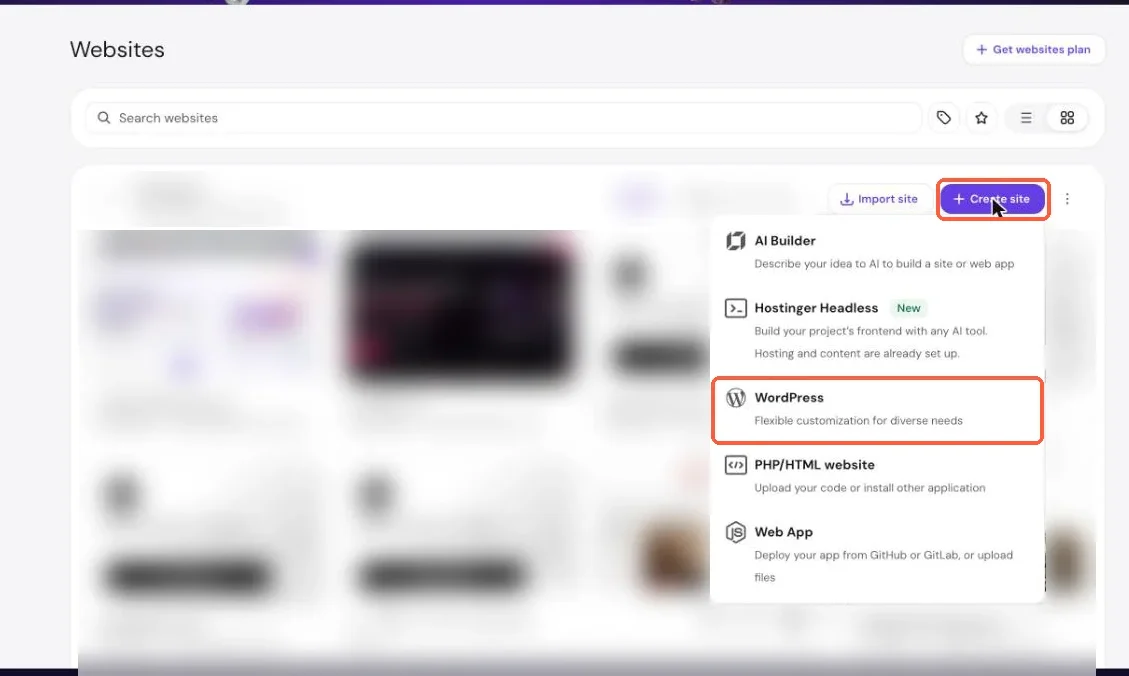
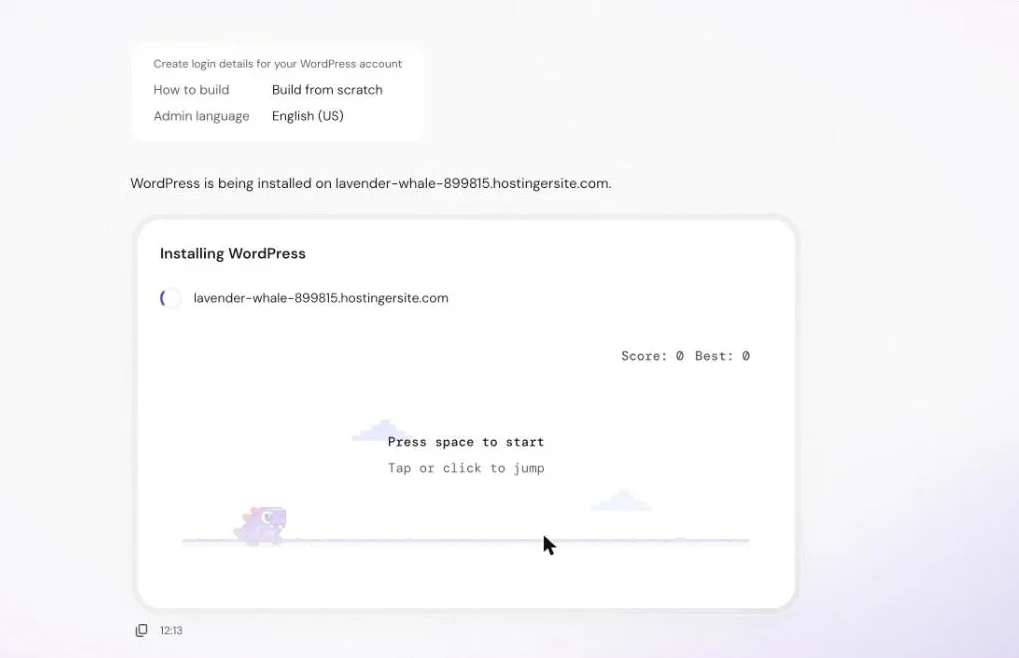
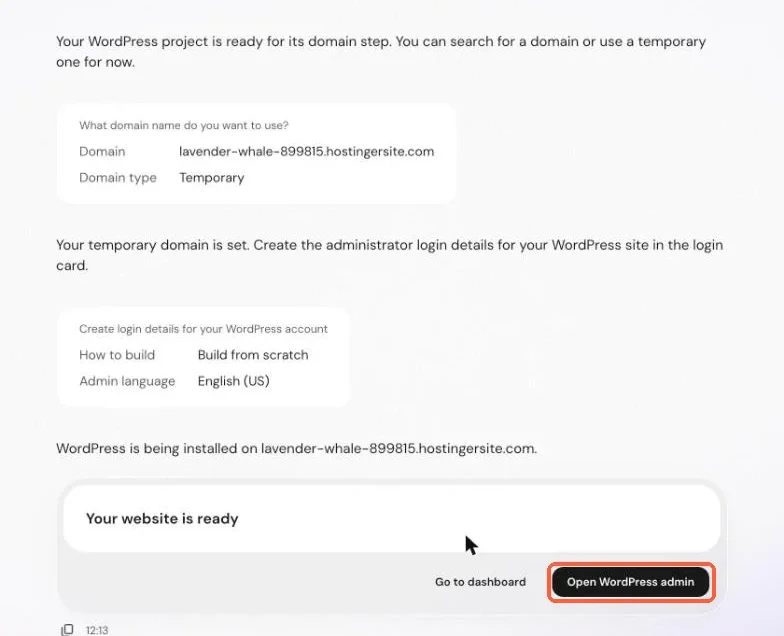
How we use it: Every site on our account, including this one, was created with this flow. It takes about two minutes before you can log in to WordPress.
Our honest review: It is the smoothest WordPress installer we have used. The one thing to watch is the list of extra plugins it offers during setup: install only what you need.
hPanel, the control panel
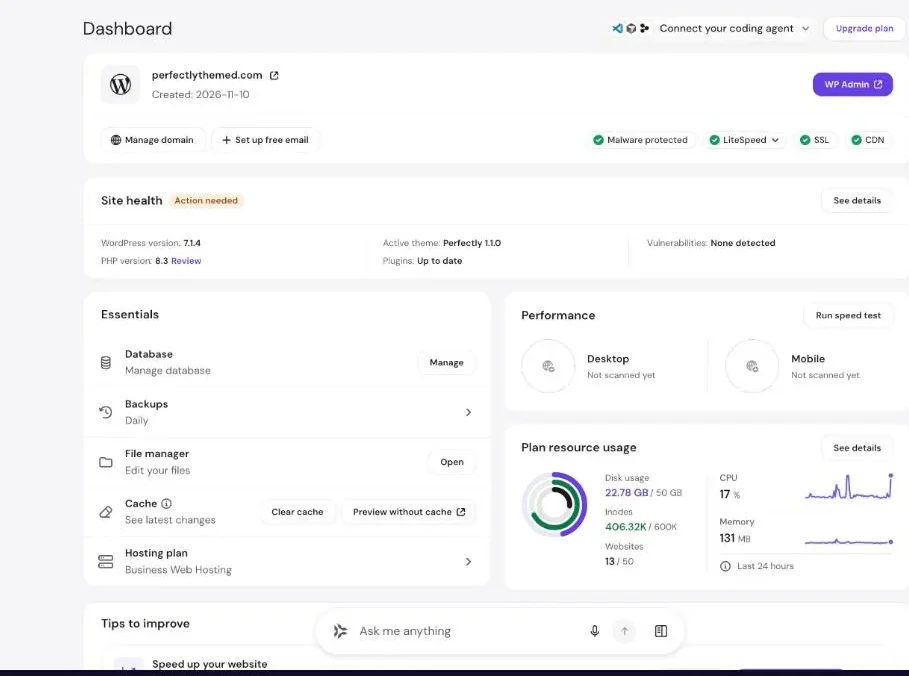
Instead of cPanel, Hostinger uses its own panel, hPanel. Each website has a dashboard with its status at a glance: WordPress and PHP versions, SSL, CDN, LiteSpeed, malware protection, backups and resource usage.
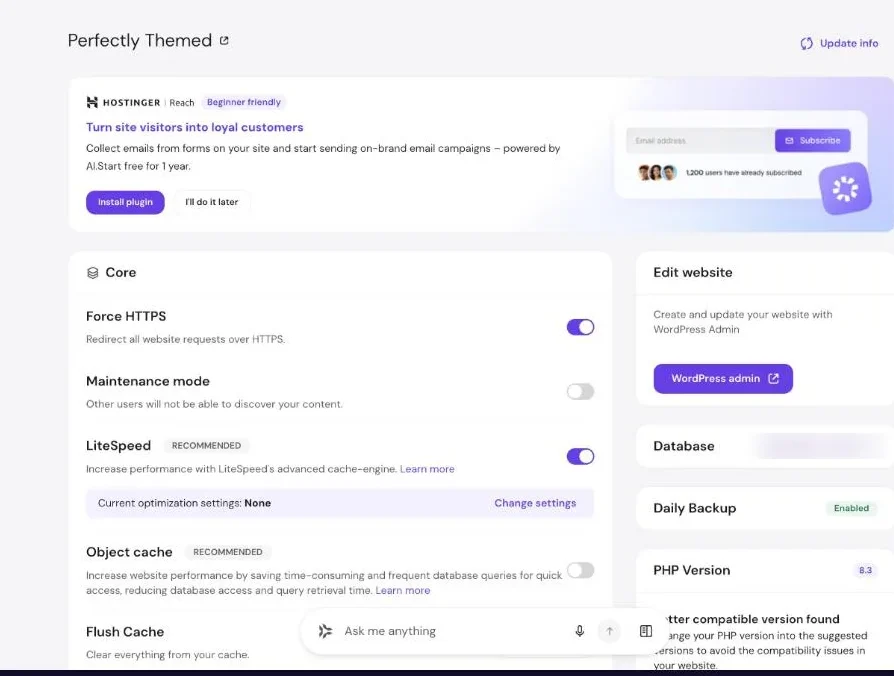
How we use it: We use the dashboard to check a site in seconds before touching anything, and the WordPress overview to toggle HTTPS and caching.
Our honest review: hPanel is clean and much easier for clients than cPanel. Promotional banners for other Hostinger products appear in several places, which is a small annoyance.
Smart WordPress auto-updates
Hostinger can manage updates for WordPress core, themes and plugins, and keeps a log of each run with the website status after the update.
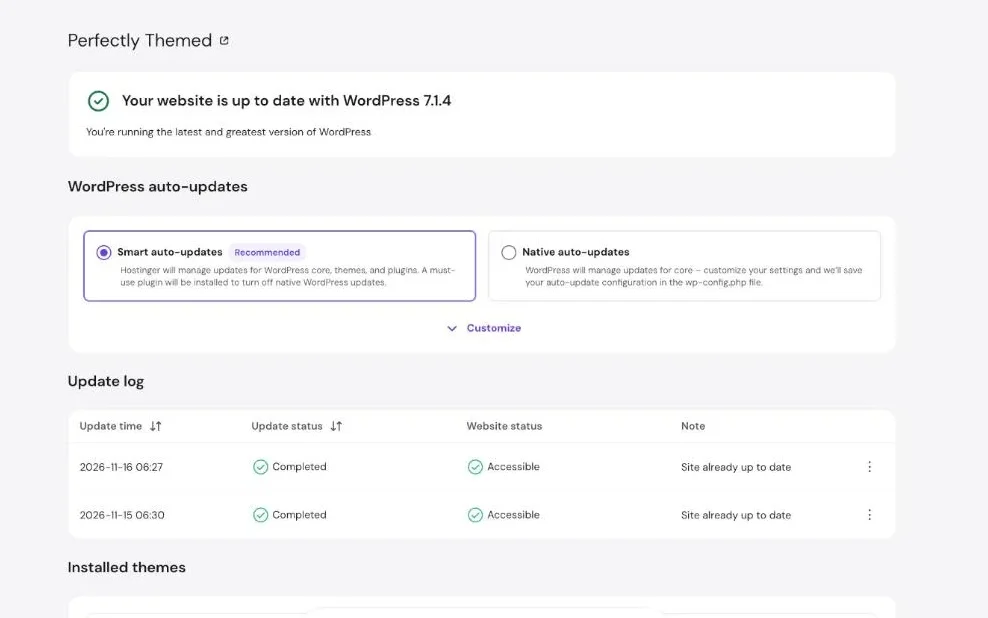
How we use it: We leave Smart auto-updates on for content sites. The log on our account shows daily checks on 15 and 16 November, both completed with the site accessible.
Our honest review: A safety net most beginners need. On sites that earn money, keep backups on and check the log after big releases.
Speed: LiteSpeed servers and a built-in CDN
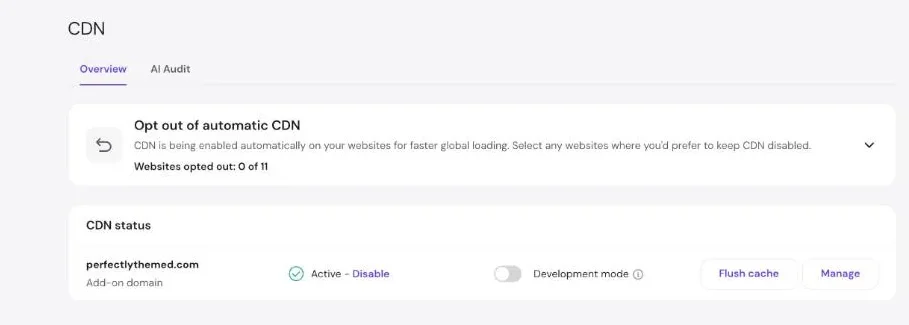
Sites run on LiteSpeed web servers, and the free LiteSpeed Cache plugin adds server-level page caching. The CDN is turned on automatically for new websites.
On 16 November 2026 our homepage scored 100 on mobile PageSpeed Insights, with a Largest Contentful Paint of 1.4 seconds and a server response time of 130 ms. Our settings are in our LiteSpeed Cache guide, and the LCP work is in our Largest Contentful Paint guide.
How we use it: LiteSpeed Cache plus the CDN on every site, with no extra caching plugin.
Our honest review: Speed is the strongest reason to choose Hostinger at this price. You still need a light theme: no host fixes a heavy slider.
AI Troubleshooter
The AI Troubleshooter runs a speed test, benchmarks your site, applies optimisations and benchmarks again. Hostinger says changes can be reverted.
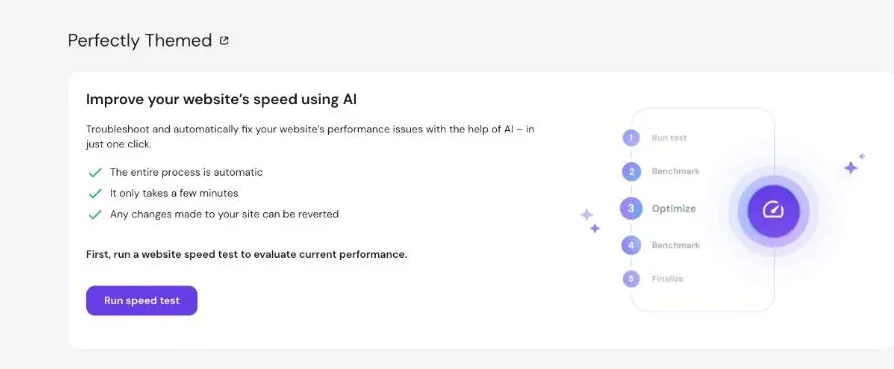
How we use it: We have not run it on perfectlythemed.com yet, because our manual settings already score 100.
Our honest review: A good idea for beginners who do not want to learn caching settings. Run it on a staging copy first if your site earns money.
One-click staging
Staging creates a private copy of your WordPress site where you can test updates, new plugins or a redesign before pushing changes live.
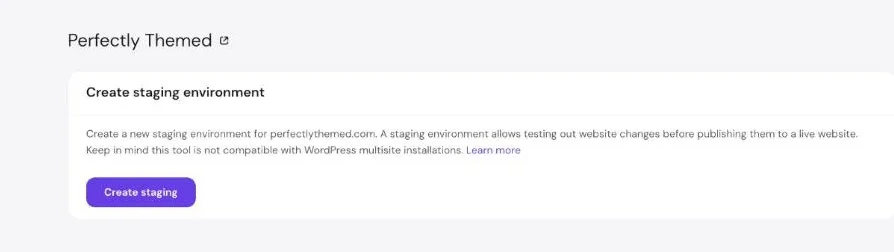
How we use it: We use staging before theme changes on client sites.
Our honest review: Included on our plan and simple to use. It does not support WordPress multisite.
Daily automatic backups
Our plan makes automatic daily backups and allows one manual backup every 24 hours. Restores are done from the same page.
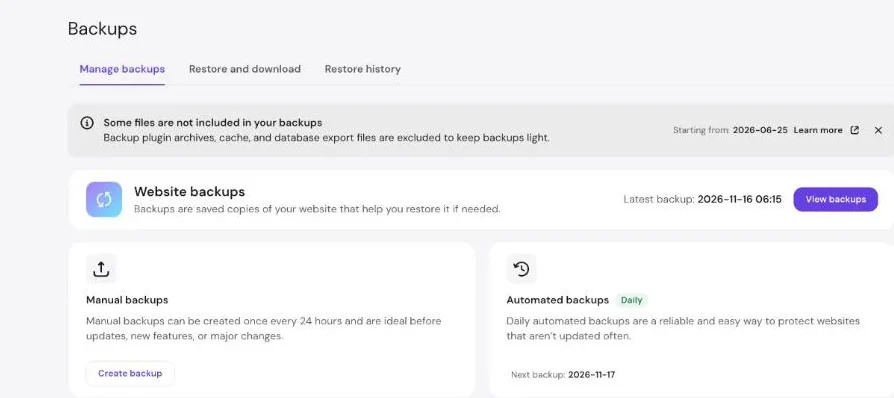
How we use it: We create a manual backup before any big change, on top of the daily ones.
Our honest review: Reliable and easy. Two limits to know: backup plugin archives, cache and database export files are excluded, and the cheapest current plan (Premium) makes weekly, not daily, backups.
Security: malware scanner and free SSL
Hostinger scans your website files for malware and installs a free SSL certificate on every domain.
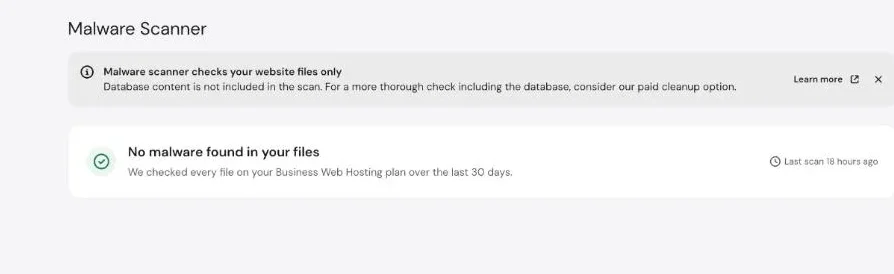
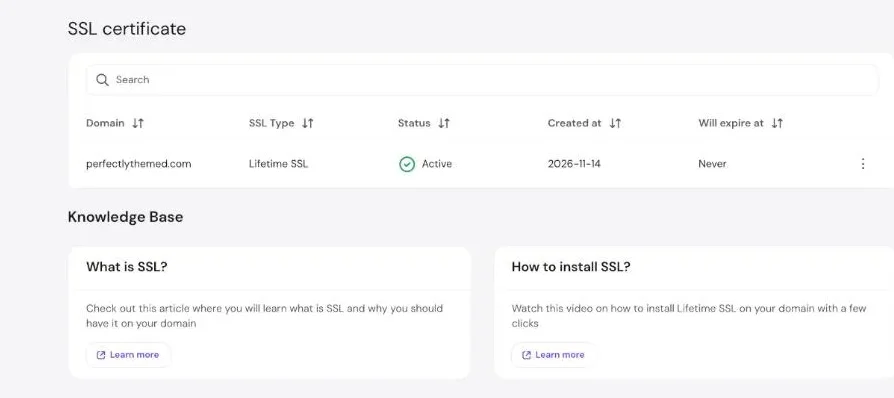
How we use it: We check the malware scanner monthly and never think about SSL renewals.
Our honest review: Solid basics. The scanner checks files only, not the database; a deeper cleanup is a paid option.
Plan resources
hPanel shows exactly what your plan includes and how much you use. Our Business plan includes 50 GB of storage, 3 GB of RAM, 2 CPU cores, 600,000 inodes, 50 websites, 120 processes and 60 PHP workers.
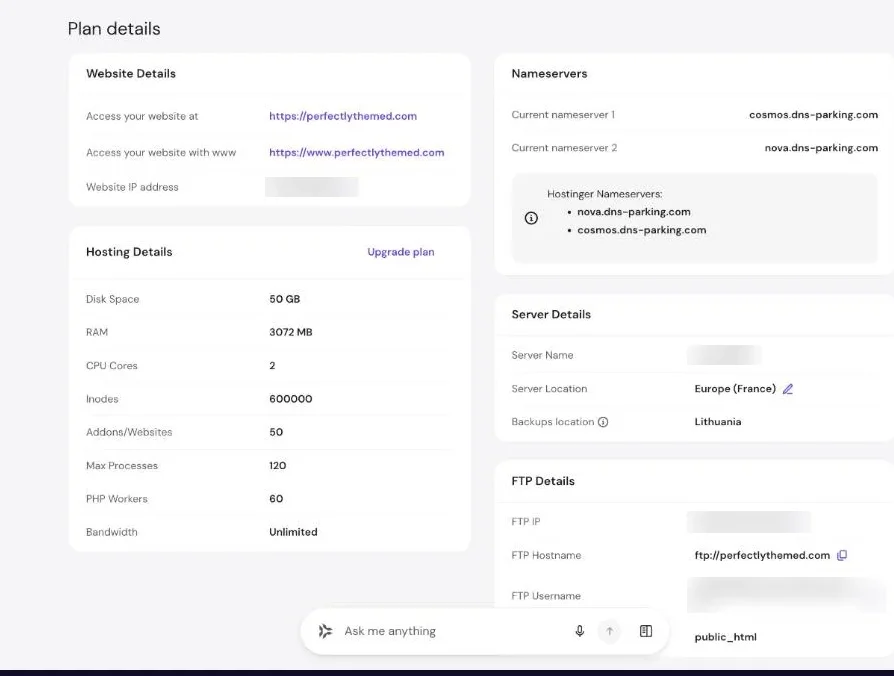
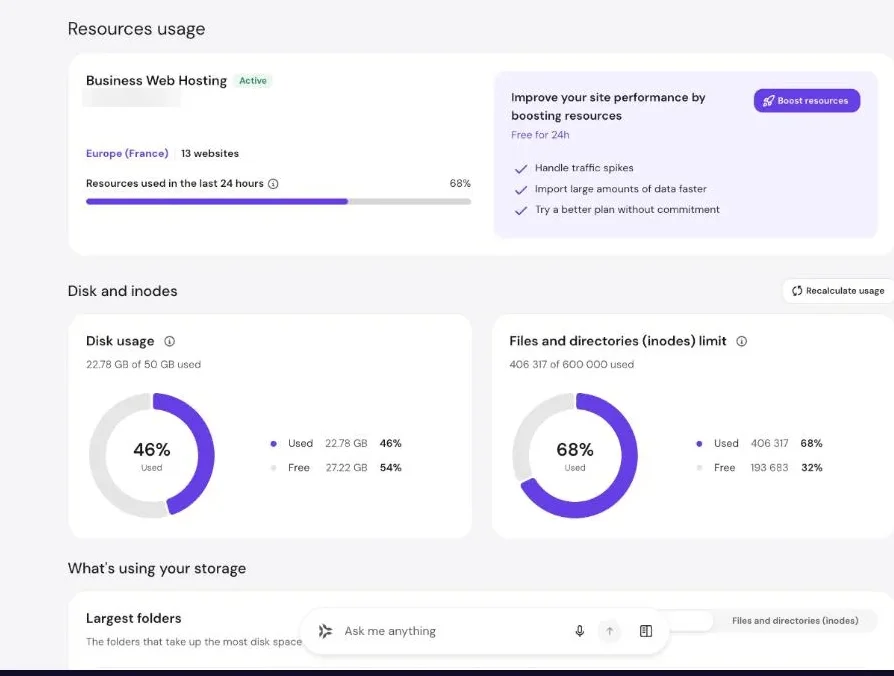
How we use it: We watch inodes more than disk space: lots of small files from plugins and caches hit that limit first.
Our honest review: Transparent and honest numbers. Note that plan names change: our plan is called Business, and the current lineup is Premium, Unlimited and Cloud Startup.
File manager
A browser-based file manager lets you edit, upload and unzip files without FTP.
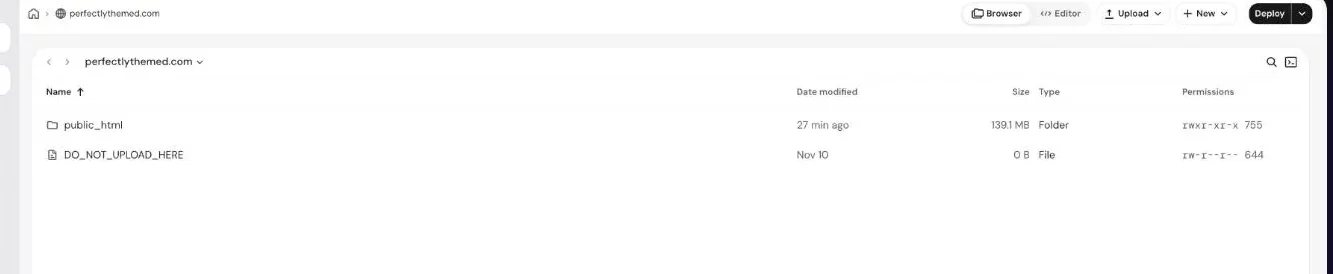
How we use it: Quick edits to configuration files and uploading verification files.
Our honest review: Fast and modern. Most users will rarely need it, which is a good sign.
Free business email
Plans include business email on your own domain, free for the first year.
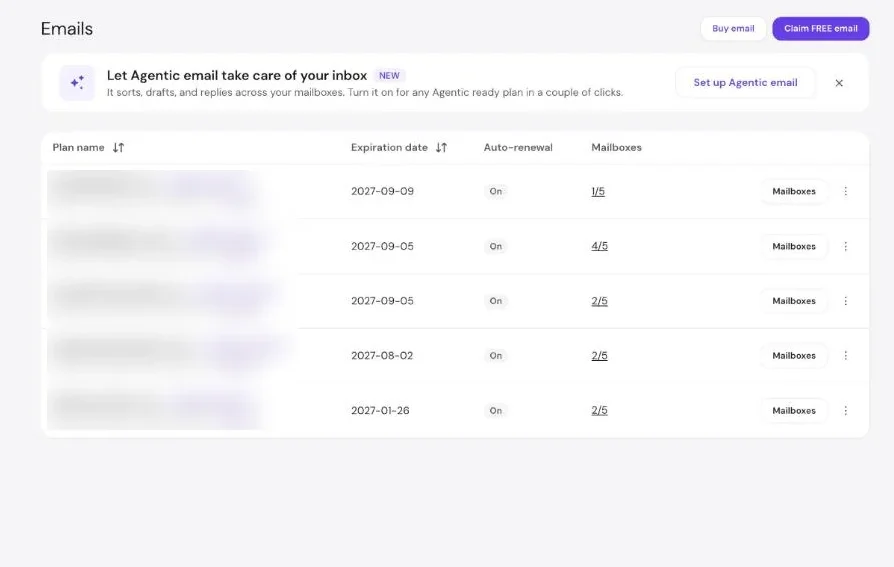
How we use it: Contact addresses for our sites and our agency.
Our honest review: Convenient for small businesses. Check the renewal price before the free year ends.
Hostinger Agent (AI assistant)
The Agent is a chat assistant inside hPanel that can read your account and take actions after you confirm. We asked it to check our PHP version, CDN and last backup without changing anything.
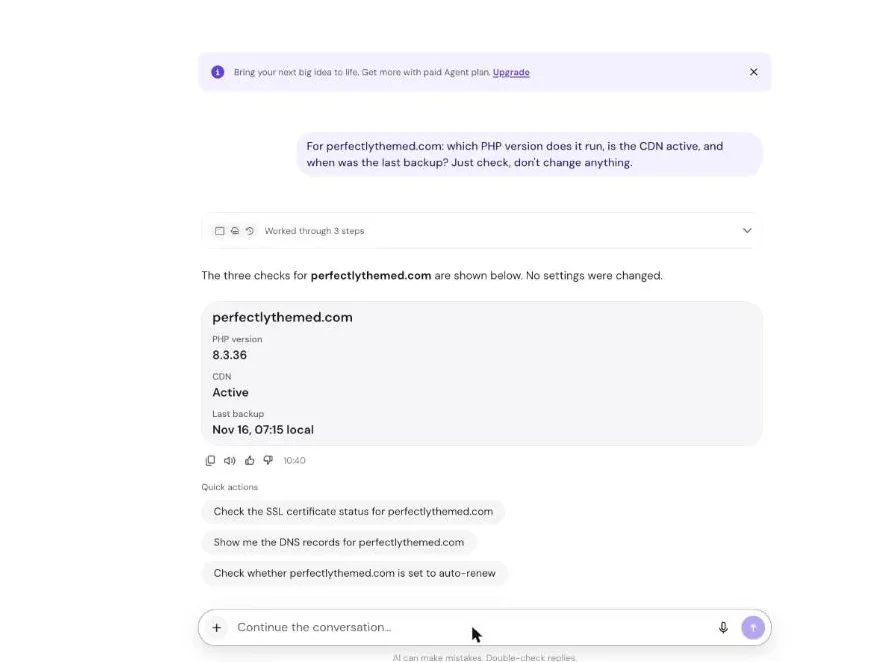
How we use it: Quick checks across many sites and first-line troubleshooting.
Our honest review: Faster than clicking through menus, and it asks before changing anything. A paid Agent plan is promoted in the panel; the free version did everything we asked.
AI Website Builder
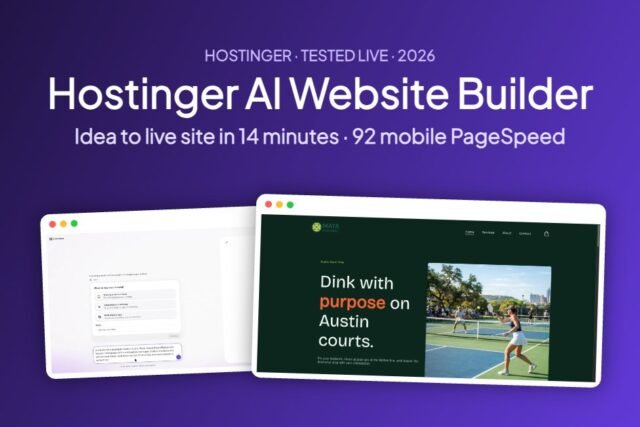
For people who do not want WordPress, the AI Website Builder creates a full site from a short description. We built a live site with it in 14 minutes.
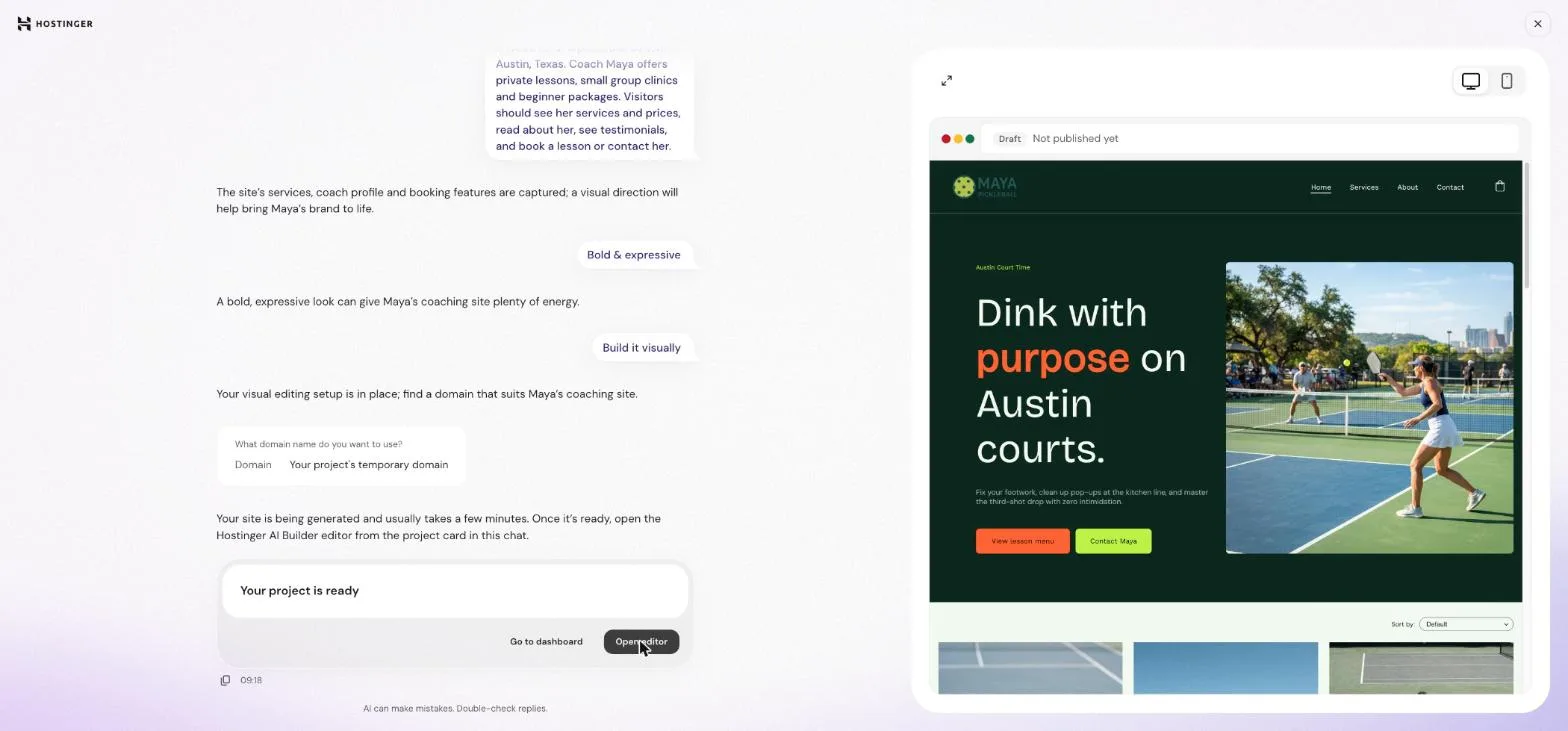
How we use it: Quick landing pages and demos for clients.
Our honest review: Impressive first drafts, but check every number and photo: in our test it invented statistics and used the wrong currency. Full details in our Hostinger AI Website Builder review.
Hostinger pricing
Prices from hostinger.com on 16 November 2026, for a 48-month term paid upfront, excluding VAT. The intro price only applies to the first term.
| Plan | Intro price | Renews at | Websites | Storage | Backups |
|---|---|---|---|---|---|
| Premium | $1.99/mo | $10.99/mo | 3 | 20 GB SSD | Weekly |
| Unlimited | $2.79/mo | $16.99/mo | Unlimited | 50 GB NVMe | Daily |
| Cloud Startup | $7.99/mo | $25.99/mo | Unlimited | 100 GB NVMe | Daily and on-demand |
Our honest opinion: for one or two small sites, Premium is enough. If you run several sites or want daily backups, Unlimited is the better value. Whatever you choose, look at the renewal price: it is roughly five times the intro price on Premium and six on Unlimited.
What we don’t like
- Big jump at renewal, and the lowest prices need a 48-month term
- Upsell banners across hPanel (Black Friday, Reach, paid Agent plan)
- Weekly backups only on the cheapest plan
- The malware scanner does not check the database
- Plan names and features change often, so older tutorials can be confusing
Who should use Hostinger?
- Bloggers and first-time site owners who want WordPress set up and fast without learning server settings
- Small businesses that want a site, email and backups in one place
- Agencies and freelancers hosting several small client sites on one plan
It is not the best fit for very high-traffic stores that need dedicated resources from day one; look at Cloud or VPS plans instead.
Our verdict
Hostinger gives us fast WordPress sites, daily backups, security and genuinely useful AI tools for a low starting price, in a panel our clients can use. The renewal pricing is the one thing to plan for. For most blogs and small business sites, it is the host we recommend first.
Frequently asked questions
Is Hostinger good for WordPress?
Yes. Our WordPress sites on Hostinger run on LiteSpeed servers with LiteSpeed Cache and a CDN, and our homepage scored 100 on mobile PageSpeed Insights on 16 November 2026.
How much does Hostinger cost?
On 16 November 2026 web hosting started at $1.99/mo for 48 months (Premium), renewing at $10.99/mo, excluding VAT. Unlimited was $2.79/mo, renewing at $16.99/mo.
Does Hostinger include backups?
Yes. On our plan backups are automatic and daily, with one manual backup allowed every 24 hours. On the current Premium plan, backups are weekly.
Is Hostinger good for beginners?
Yes. hPanel is easier than cPanel, WordPress installs in a few clicks, and the AI Agent can answer account questions in plain language.
Does Hostinger have a money-back guarantee?
Hostinger advertises a 30-day money-back guarantee on web hosting. Check the current terms before buying.
Additional resources
- Hostinger WordPress hosting review: speed numbers from our own WordPress sites
- How to start a WordPress blog: the full setup on Hostinger, step by step
- Hostinger AI Website Builder review: a live site in 14 minutes
- LiteSpeed Cache settings: the options we use
- Best WordPress plugins: what to install after setup
Ready to try Hostinger? Start with Premium for one or two sites, or Unlimited if you want daily backups and room to grow.
- WordPress installed in a few clicks, with LiteSpeed cache, CDN and free SSL switched on
- Daily automatic backups, malware scanning and one-click staging on our plan
- AI tools built in: an AI Troubleshooter for speed, an AI Agent and an AI Website Builder
- Our own site on it scores 100 on mobile PageSpeed
Prices start at $1.99/mo for 48 months, renewing at $10.99/mo, excluding VAT (hostinger.com, 16 November 2026).

Leave a Reply